
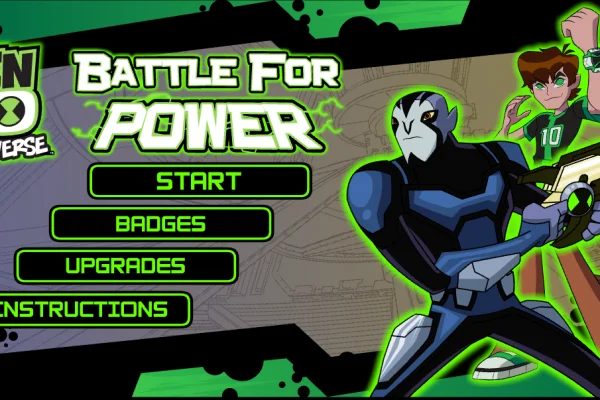
About Ben 10 Omniverse: Battle for Power
Ben 10 Omniverse: Battle for Power is a 2D action and defense game based on Cartoon Network's Ben 10: Omniverse animated series. Play as Rook Blonko, Ben Tennyson's partner, and protect the Plumbers' base from invading alien robots. Move between floors, shoot enemies, repair damaged generators, and call on Ben's alien transformations when you need extra firepower.
Gameplay and Objective
The Plumbers' headquarters is under attack by enemy machines. Several power generators keep the base running, but the invaders are trying to drain their energy. Your mission is to stop the attackers and prevent every generator from shutting down.
Rook can move around the base, travel between floors using elevators, and attack enemies with his weapon. Watch the generators carefully because robots can continue draining their energy while you fight elsewhere.
If all the generators lose their power, the game ends. You must balance attacking enemies with repairing generators before the damage becomes too severe.
Defend and Repair Power Generators
The generators supply electricity to the base. Enemy robots approach them and begin draining their energy, making each generator an important location to defend.
Move Rook toward a damaged generator and press X to repair it. You may need to leave one area to defend another, so pay attention to enemy movement and the condition of generators across different floors.
Elevators allow Rook to travel between levels of the base. You can also drop grenades through elevator shafts to attack enemies on the floor below.
Fight Alien Robots
The invading forces include several types of mechanical enemies. Some approach the generators directly, while others attack Rook and make it harder to protect the base.
Press Z to fire Rook's weapon and Spacebar to jump over incoming attacks. You can also use B to drop a grenade down an elevator shaft, giving you another way to deal with enemies below your position.
As the stages progress, maintaining control of multiple floors becomes increasingly important. Defeating enemies quickly helps reduce the pressure on your generators.
Call Ben 10 for Backup
Rook is the main playable character, but Ben can join the battle through his Omnitrix transformations. Press C to call on Ben for assistance when the situation becomes dangerous.
Several alien forms are available for support:
- Bloxx: One of Ben's alien forms available to assist Rook.
- Shocksquatch: An electric-powered alien who can support the defense.
- Gravattack: An alien with gravity-based powers.
- Ball Weevil: A small alien capable of using explosive energy spheres.
Press V to switch the selected alien form. Choose the support option that best fits the current situation and save your assistance for moments when enemies are threatening the generators.
Upgrades, Items, and Badges
Battle for Power includes an upgrade shop run by Mr. Baumann. Visit the upgrade screen to purchase improvements and items for Rook, helping you handle the growing number of enemies.
The game also includes a Badges menu where you can review achievements earned during your progress. Completing challenges and improving your defense strategies gives you more reasons to return to the game.
Levels and Progression
The game features five levels. Each stage challenges you to defend the base while dealing with enemy attacks and protecting its power supply.
Later stages require more careful movement between floors, better use of your weapons, and timely assistance from Ben's aliens.
Tips for Protecting the Base
- Watch every generator: Do not focus on one floor while enemies drain power elsewhere.
- Repair damaged generators: Press X when you reach a generator that needs attention.
- Use elevators efficiently: Move between floors to stop robots before they reach vulnerable generators.
- Drop grenades strategically: Use B near an elevator shaft to attack enemies below.
- Jump to avoid attacks: Press Spacebar to evade incoming enemy fire.
- Call Ben for assistance: Use an alien transformation when the number of enemies becomes difficult to manage.
- Purchase useful upgrades: Improve Rook's equipment to prepare for tougher stages.
Ben 10 Omniverse: Battle for Power combines shooting, base defense, generator repairs, and character support mechanics. Instead of controlling Ben directly, you take the role of Rook and work with Ben's alien forms to protect the Plumbers' headquarters.
Keyboard Controls
- Arrow Keys: Move Rook around the base and travel up or down using elevators.
- Z: Fire Rook's weapon at enemies.
- B: Drop a grenade down an elevator shaft.
- Spacebar: Jump to avoid incoming attacks.
- X: Repair damaged power generators.
- C: Call Ben 10 for alien backup.
- V: Switch between Ben's available alien forms.
Tip: Protect and repair the generators before their energy is completely drained.