
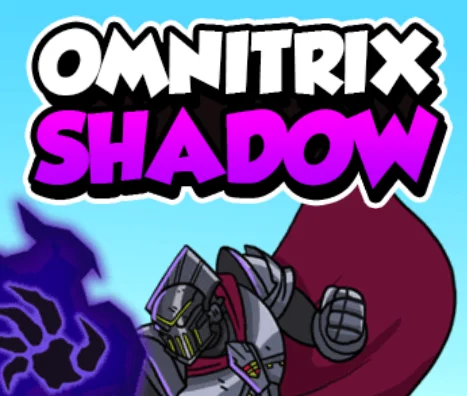
About Ben 10: Omnitrix Shadow
Ben 10: Omnitrix Shadow is a side-scrolling action platformer based on Cartoon Network's Ben 10 reboot series. When Forever Knight interferes with the Omnitrix, Ben Tennyson loses access to many of his alien transformations. To restore the device, Ben must travel through dangerous locations, defeat robotic enemies, collect valuable resources, and build a team of aliens capable of overcoming the challenges ahead.
Gameplay and Objective
The adventure combines platforming, close-range combat, special abilities, and character progression. Each stage contains enemies and obstacles that Ben must overcome to advance. Some routes are blocked by barriers that require a particular alien power, while others involve defeating groups of robots or locating important items.
Ben can revisit previously explored areas, allowing you to return to locations after strengthening your alien team or unlocking abilities needed to overcome earlier obstacles.
Alien Transformations and Team Selection
The damaged Omnitrix limits Ben to a team of three alien transformations at a time. Different aliens have different health, speed, attack strength, and special abilities, so choosing a balanced team is important.
The roster includes familiar transformations such as Diamondhead, Four Arms, and Rath, with additional aliens becoming available as you progress. Their special attacks fall into different categories, including Energy, Strength, Slash, and Impact.
Some obstacles can only be cleared with a particular attack category. Experimenting with different team combinations helps you handle enemies and environmental challenges more efficiently.
The Omnicopter Headquarters
The Omnicopter serves as Ben's headquarters between missions. Here, Gwen helps manage the available alien transformations, while Grandpa Max provides access to upgrades that improve their performance.
The headquarters also provides access to other progression features and collected rewards. Returning between difficult stages allows you to prepare a stronger team before attempting the next challenge.
Combat, Special Attacks, and Health
Robotic enemies and other opponents appear throughout the levels. Each enemy has a health bar, and defeating them requires using regular attacks or an alien's more powerful special ability.
Special attacks need time to recharge, so they are most useful against strong enemies, groups of opponents, or barriers that require a particular power.
Ben's alien forms also have limited health. Taking repeated hits can end an attempt, while heart pickups restore health and help you continue through dangerous sections.
Collectibles, Upgrades, and Unlockables
Defeated enemies and breakable objects can provide purple energy orbs that serve as resources for improving alien abilities. Collecting these orbs allows you to purchase upgrades at the headquarters, making your team better prepared for later stages.
Decoboxes provide additional rewards, while special keys and locked areas create reasons to explore the levels carefully. Finding these items can help unlock more of the adventure.
Tips for Completing the Adventure
- Build a balanced team: Choose aliens with different strengths and attack categories.
- Collect upgrade resources: Purple orbs help improve your aliens between missions.
- Use special attacks carefully: Powerful moves require time to recharge.
- Look for hidden rewards: Breakable boxes and optional paths may contain useful items.
- Watch your health: Collect hearts and avoid unnecessary damage during difficult battles.
- Return to headquarters: Visit Gwen and Grandpa Max to adjust your team and improve its abilities.
- Revisit blocked areas: A new alien or upgraded ability may help you reach places that were previously inaccessible.
Keyboard Controls
- Arrow Keys / WASD: Move your character.
- Spacebar: Jump.
- X: Perform a normal attack.
- Z: Use the selected alien's special attack when available.
- C: Interact with objects, characters, and terminals.
- 1 / 2: Switch between equipped alien transformations.
- Esc: Open or close the in-game menu.