
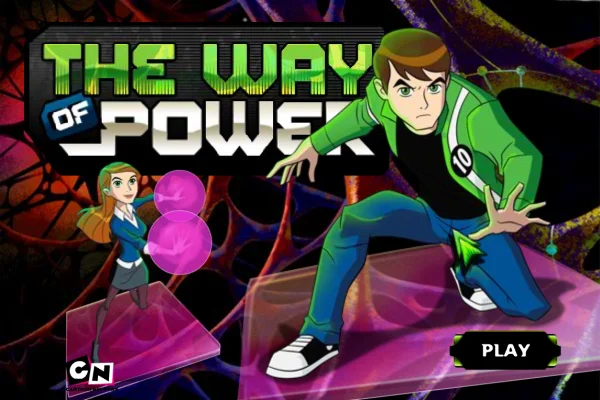
About Ben 10: The Way of Power
Ben 10: The Way of Power is a puzzle platform game based on Ben 10: Alien Force. Julie has been kidnapped by Lord Highbreed, and Ben needs Gwen's help to reach her. Use Gwen's energy powers to create platforms, bridge dangerous gaps, and guide Ben through an alien environment without letting him fall into the void.
Gameplay and Objective
Instead of moving Ben directly, you control the platforms that help him travel through each stage. Ben moves along the route while you place energy platforms in suitable positions to carry him across gaps and obstacles.
Your goal is to build a safe path so Ben can continue toward Julie. Glowing blue orbs marked with point values appear throughout the stages. Guide Ben toward these collectibles when you can do so safely.
How to Create and Switch Platforms
Gwen can create two types of energy platforms. Choose where to place them with the mouse and press Spacebar to switch between platform types.
- Normal Platform: Provides a surface Ben can stand or move across, helping him cross gaps.
- Jumping Platform: Launches Ben upward, allowing him to reach higher areas or cross obstacles.
Watch Ben's position and the distance to the next solid surface before placing a platform. The correct combination of normal and jumping platforms is needed to complete the course.
Obstacles and Collectibles
The stages contain separated platforms, open gaps, and other obstacles. If Ben falls into the void, you must retry the course. Position Gwen's energy platforms carefully to keep him moving safely.
Blue collectibles display numerical point values, including 10 and 50. Collecting them increases your score, but reaching the next safe platform should take priority over collecting every orb.
Tips for Playing
- Plan ahead: Look at the next gap and landing area before placing a platform.
- Use normal platforms for crossing: Create a stable route between separated surfaces.
- Switch to jumping platforms: Use them when Ben needs extra height to reach the next area.
- Time your placement: Watch Ben's movement so the next platform is ready when he needs it.
- Collect points safely: Guide Ben toward blue score orbs without creating unnecessary risks.
- Learn from failed attempts: If Ben falls, adjust the position or type of platform when retrying.
- Watch the landing area: Make sure a safe surface is available after a jump.
Mouse Controls
- Move Mouse: Choose where to place Gwen's energy platform.
- Left Click: Place a platform to help Ben cross gaps and obstacles.
Keyboard Controls
- Spacebar: Switch between normal and jumping platforms.
Ben moves through the level while you create a safe route with Gwen's platforms. Use jumping platforms to help him reach higher areas and avoid falling into the void.