
About Ben 10 Omniverse: Chronopolis
Ben 10 Omniverse: Chronopolis is a 2D action RPG and platform adventure based on Ben 10: Omniverse. Ben and Rook travel to Chronopolis, a mysterious alien city affected by disturbances in space and time. Explore its connected areas, complete quests, defeat enemies, and use the Omnitrix to overcome obstacles while uncovering the city's secrets.
Gameplay and Objective
Control Ben as you explore side-scrolling environments, jump between platforms, fight enemies, and interact with objects and characters. Your main objective is to complete quests and reach marked destinations on the map. Some areas require specific alien transformations to progress.
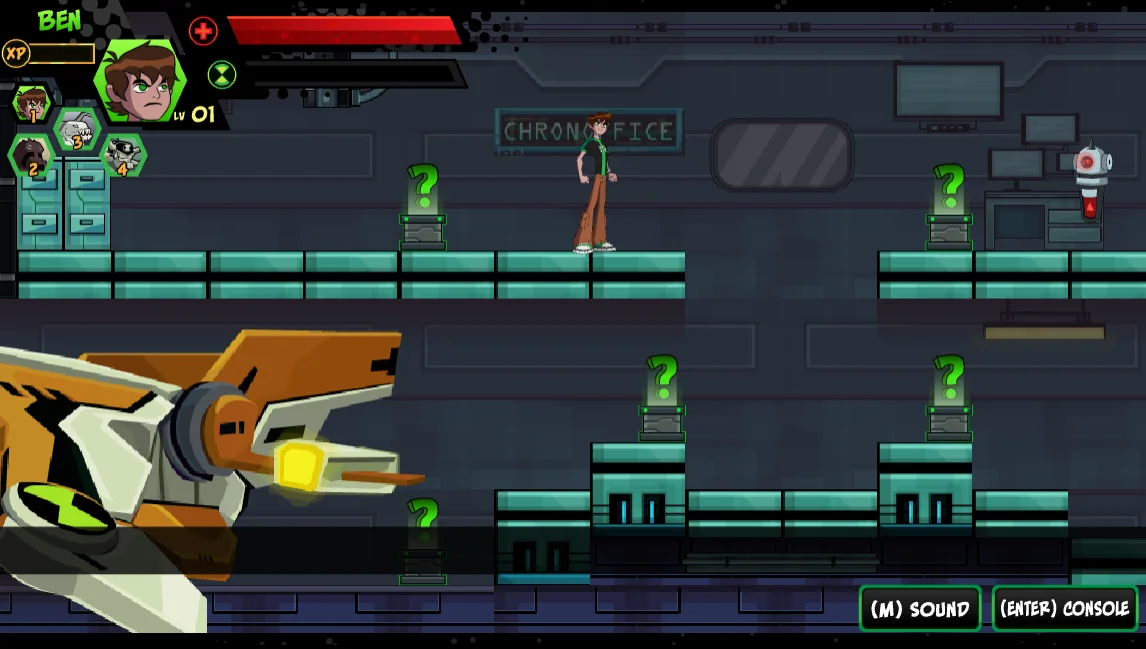
The game includes an experience system, collectible resources, and character upgrades. Defeating enemies earns XP and ChronoCredits that can help improve Ben's abilities as you explore.
Omnitrix Console, Map, and Quests
Press Enter to open the Omnitrix Console. This menu helps you manage your adventure through several sections:
- Map: Shows your current area, position, and target destination. Use it to find the route toward your next objective.
- Quests: Review your current missions and objectives.
- Cards: View the cards available through the game's collection system.
- Forms: Access information about Ben's alien transformations.
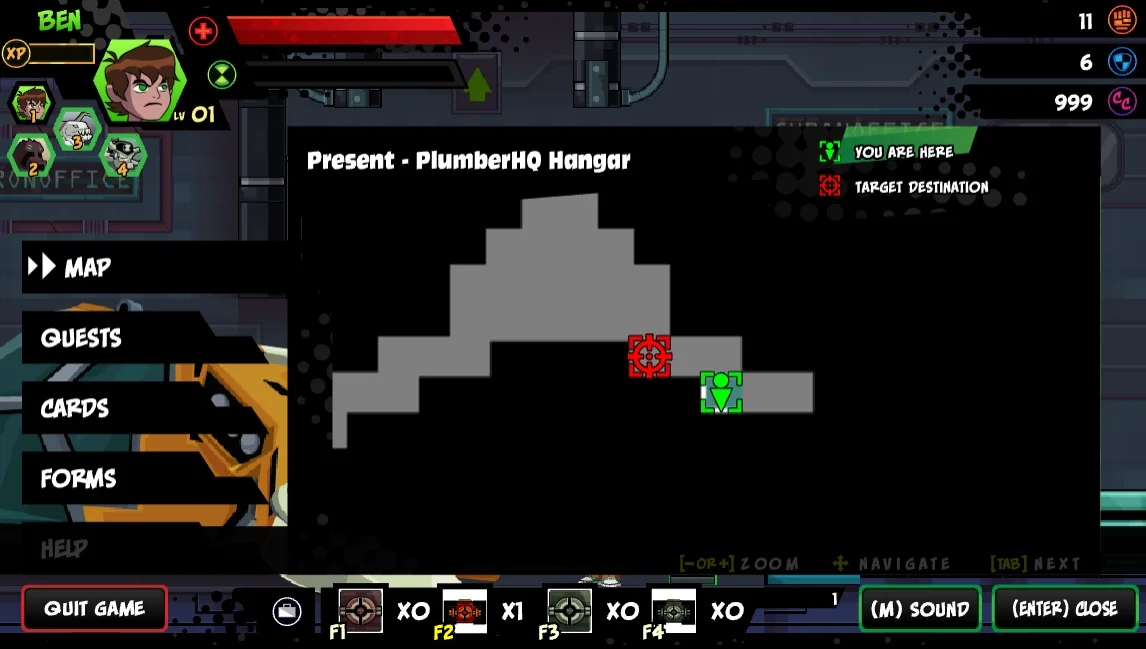
The map uses a green marker for your current location and a red target marker for your destination. Check it whenever you are unsure which direction to explore.
Alien Transformations and Abilities
Ben can use the Omnitrix to transform into different aliens. Each form has abilities that are useful for combat, exploration, or overcoming particular obstacles.
- Four Arms: Uses powerful physical attacks to break crates and stun enemies with his ground slam.
- Ripjaws: Moves efficiently through underwater areas and can attack enemies with his bite.
- Stinkfly: Can fly to reach areas that are difficult to access on foot, but is less resistant to damage.
Use the numbered transformation shortcuts to switch between available alien forms. Different obstacles may require a specific alien, so pay attention to your surroundings and return to unexplored paths when you gain new abilities.
Experience, Energy, and Upgrades
The interface displays Ben's health, energy, experience, and level. The red bar represents health, the green bar represents energy, and the yellow XP bar tracks progress toward the next level.
Defeating enemies provides experience points and ChronoCredits. As you progress, you can improve attributes such as Attack, Defense, Shield, Energy, and Suitcase capacity.
Health and energy pickups are also available throughout the game. Small pickups restore a limited amount, while larger health kits and batteries provide greater recovery.
Exploring Chronopolis
Chronopolis includes areas such as Plumber HQ Hangar, where Ben can explore platforms, interact with objects, and navigate toward quest destinations. The game also features conversations with characters including Rook, providing information about the story and your mission.
Look for unusual objects, concealed routes, and places that cannot be reached in Ben's normal form. The correct alien transformation can help you discover new paths and continue your adventure.
Tips for Playing
- Check your map: Open the Omnitrix Console and follow the target marker when searching for your next destination.
- Review your quests: Read the current objective before exploring unfamiliar areas.
- Use the right alien: Choose Four Arms for heavy obstacles, Ripjaws for underwater sections, and Stinkfly when flying is useful.
- Manage your energy: Watch the green energy bar before using special alien abilities.
- Collect useful pickups: Restore health and energy when exploring dangerous areas.
- Earn experience: Fight manageable enemies to gain XP and improve Ben before tougher encounters.
- Interact with objects: Try the E key near characters and interactive points that may provide useful information.
- Use your shortcuts: Learn the alien and power-up hotkeys to avoid unnecessary menu navigation during combat.
Keyboard Controls
- Left / Right Arrow: Move left or right.
- Up Arrow: Jump.
- Down Arrow: Drop through certain platforms.
- Spacebar: Attack.
- X: Use the selected alien's special ability.
- E: Interact with characters and objects.
- 1 / 2 / 3 / 4: Switch between available alien forms.
- F1 / F2 / F3 / F4: Activate assigned power-ups.
- Enter: Open or close the Omnitrix Console.
- Tab: Navigate between Console sections.
Omnitrix Console
- Map: View your current location and target destination.
- Quests: Check your current objectives.
- Cards: Review collected cards.
- Forms: Check your available alien transformations.
Keep an eye on the health, energy, and XP bars while exploring. Use the Console to find your next destination and monitor your progress.