
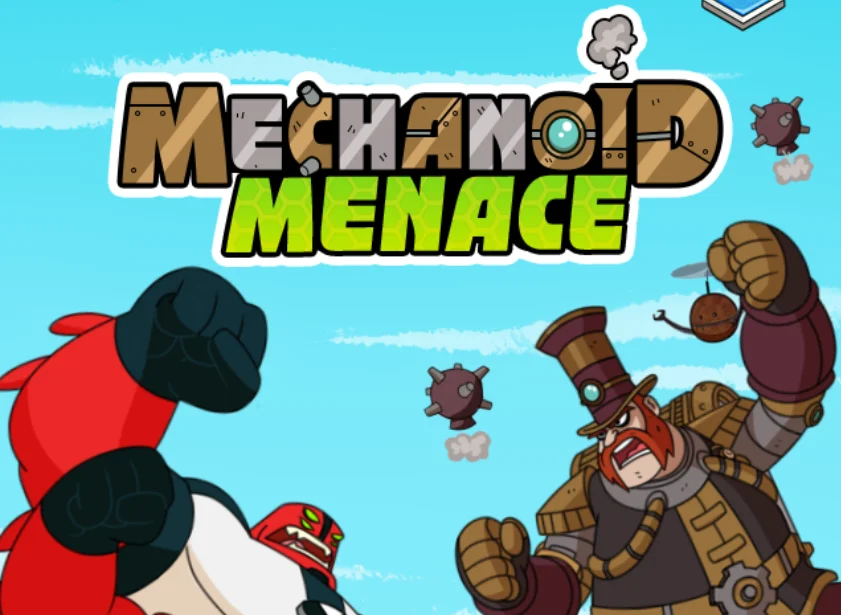
About Ben 10: Mechanoid Menace
Ben 10: Mechanoid Menace is an arcade fighting game based on Cartoon Network's Ben 10 (2016) animated series. Play as Four Arms and defend the city against Steam Smythe's army of flying robots. Punch enemies approaching from either side, chain together accurate hits, and earn coins to upgrade your abilities and unlock additional alien characters.
Gameplay and Objective
Four Arms stands in the middle of the battlefield while waves of mechanical enemies approach from the left and right. Your goal is to destroy each enemy before it escapes past your position.
Press the Left or Right Arrow key to punch in the corresponding direction. Each side has a target area that shows when an enemy is within striking distance. Wait until a robot reaches the target before attacking.
Timing matters. Hitting an enemy as it enters the target area earns a Good rating, while striking inside the smaller white circle earns a Perfect rating. Consecutive perfect attacks build a combo and increase your score.
Enemies and Boss Encounters
Steam Smythe's mechanical army includes several enemies with different behaviors. Learning how they move is essential for keeping your combo going.
- Mechanoid Drones: Basic flying enemies that approach from either side. Some switch lanes unexpectedly, so watch their movement carefully.
- Robot Guy: A tougher mechanical opponent that requires multiple punches to defeat.
- Steam Smythe: The main villain, who appears during the battle and requires a series of successful attacks to defeat.
Missing an enemy can end your run, so pay attention to approaching targets instead of attacking randomly.
Special Attacks and Power Meter
Successful attacks gradually fill your special power meter. Once the meter is full, press Spacebar to activate your alien's special ability.
While the special attack is active, your strikes become more powerful and register as perfect hits for a limited time. This can help clear several approaching robots and maintain your combo during difficult moments.
Save your special attack for situations where several enemies approach together or a tougher opponent threatens to escape.
Coins, Upgrades, and Unlockable Aliens
Perfectly timed attacks and successful combos reward you with coins. You can spend these coins on upgrades that improve your performance in later attempts.
Available upgrades include larger attack targets and temporary abilities that make it easier to hit enemies. You can also unlock additional alien characters, including Rath and Diamondhead.
Four Arms is your starting fighter, while Omni-Kix Four Arms is another available transformation. Progression allows you to experiment with different characters and improve your score.
Tips for Getting a Higher Score
- Wait for the target: Punch only when a robot reaches the marked attack zone.
- Aim for perfect timing: Strike inside the white circle to improve your combo and coin rewards.
- Watch both sides: Enemies approach from the left and right, sometimes switching lanes.
- Remember tougher enemies: Robot Guy and Steam Smythe need repeated hits.
- Use special attacks strategically: Activate your power when the meter is full and the battlefield becomes crowded.
- Invest your coins: Unlock upgrades and new alien fighters to improve later attempts.
Mechanoid Menace combines simple two-direction punching controls with precise timing, combo scoring, and character upgrades. The challenge is to keep your attacks accurate as the enemy waves become more demanding.
Keyboard Controls
- Left Arrow: Punch enemies approaching from the left.
- Right Arrow: Punch enemies approaching from the right.
- Spacebar: Activate your special attack when the power meter is full.
Mouse Controls
- Left Click: Click the attack target on either side to punch in that direction.
Tip: Strike when an enemy reaches the white target circle for a Perfect hit.