
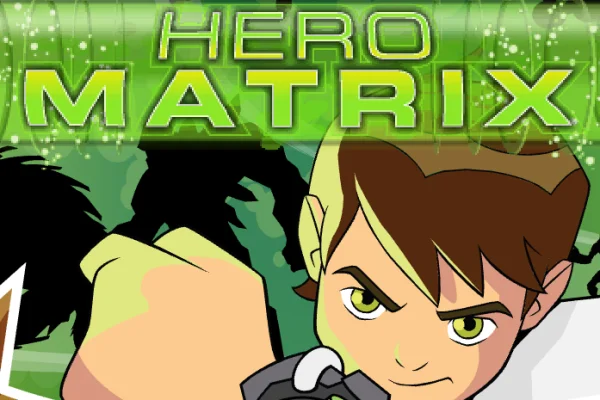
About Ben 10: Hero Matrix
Ben 10: Hero Matrix is a Flash-based alien creator from the original Ben 10 era, developed by Ham in the Fridge for Cartoon Network. Instead of controlling Ben in battles, you design your own alien by combining body parts, adjusting colors, choosing special themes, and giving your creation a name.
Choose Your Alien Body Type
Start by selecting one of three body types, each with a different basic shape:
- Beast: Create an alien with an animal-like body structure.
- Humanoid: Build a more human-shaped alien with customizable limbs and facial features.
- Blobulous: Design an unusual alien based on a rounded, amorphous body.
Your choice determines the starting shape and the body parts available in the editor. You can experiment with different combinations to make a character that looks unlike Ben's familiar Omnitrix aliens.
Customize Body Parts and Colors
The alien editor lets you change individual features, including the head, torso, arms, legs, eyes, mouth, and other body parts. Use the selection arrows to cycle through the available designs.
You can also adjust your alien's appearance with different colors and textures. The editor includes options for changing the main body color and secondary pattern colors, as well as toggling textures and costume details.
If you prefer a coordinated appearance, try one of the preset themes: Reptile, Ecto, Volt, Freeze, Flame, or Stone. Each theme applies a different color style to your creation.
Randomize and Name Your Alien
Not sure which parts to combine? Use the Randomize option to generate a new alien design. You can then continue editing it or start again with a different body type.
Once your alien is finished, select Done to move to the naming stage. The game lets you combine three predefined words to create a distinctive name. You can also randomize the name if you want an unexpected result.
Finishing Your Creation
The original game included options to print your completed alien and upload it to the Omnitrix Gallery, where players could view creations submitted by others.
The online gallery and upload features depended on Cartoon Network's original servers and are no longer functional in preserved versions. The main attraction remains the alien editor, where you can experiment with different shapes, colors, and themes to create your own Ben 10 character.
Mouse Controls
- Left Click: Select an alien body type, body part, color, or menu option.
- Selection Arrows: Browse the available body parts and designs.
- Color Controls: Change the main body color and secondary texture colors.
- Theme Buttons: Apply a preset alien color theme.
- Randomize: Generate a random alien design.
- Start Over: Return to body type selection.
- Done: Finish customizing and proceed to naming.
- Name Menus: Choose three words to name your alien.