
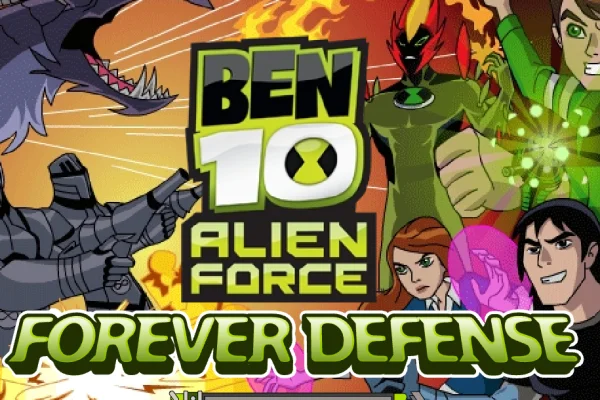
About Ben 10 Alien Force: Forever Defense
Ben 10 Alien Force: Forever Defense is an arcade defense game originally released on Cartoon Network in 2008. The Forever Knights are attacking, and Ben Tennyson, Gwen Tennyson, and Kevin Levin must work together to hold them off. Switch between the three characters, use their different abilities, and survive as many enemy waves as possible.
Gameplay and Objective
The game takes place on a road where Forever Knights approach your team. Each wave contains enemies that you must stop before your team's energy runs out. The interface displays your current wave, progress through the wave, score, and team energy.
Unlike a traditional level-based adventure, Forever Defense is an endless survival challenge. Your goal is to stay alive, defeat more enemies, and earn a higher score.
Ben, Gwen, and Kevin's Abilities
The three characters perform different roles in combat. You can switch between them using the keyboard or the Spacebar.
- Ben (Swampfire): Aim and shoot fireballs at enemies. Hold the mouse button to charge a stronger shot.
- Gwen: Block incoming laser attacks. Shake the mouse quickly to create a shock wave that stuns enemies.
- Kevin: Grab Forever Knights and absorb their energy. Hold the mouse button and shake the mouse to absorb energy faster.
Switching characters at the right moment is essential. Swampfire handles ranged attacks, Gwen provides protection, and Kevin helps absorb energy from enemies.
Power-Ups and Team Energy
Swampfire can shoot power-ups that appear during battle. Two power-ups are explained in the game's instructions:
- Magic Barrier: Activates a temporary force field.
- Omnitrix: Restores the team's energy.
Watch the Team Energy bar at the bottom of the screen. Keeping this energy from running out is necessary to survive longer.
Tips for Playing
- Use Swampfire to attack: Aim carefully and charge your shots when you have enough time.
- Switch to Gwen for defense: Block incoming laser fire and use her shock wave to stun enemies.
- Use Kevin to absorb energy: Grab nearby Forever Knights and move the mouse quickly to absorb their energy faster.
- Watch for power-ups: Shoot Magic Barrier and Omnitrix icons to gain temporary protection or restore team energy.
- Monitor the energy bar: React before your team's energy runs out instead of concentrating only on your score.
- Prepare for new waves: Use all three characters' abilities as the attacks continue.
Keyboard Controls
- Spacebar: Cycle between Ben, Gwen, and Kevin.
- Z: Switch directly to Ben (Swampfire).
- X: Switch directly to Gwen.
- C: Switch directly to Kevin.
Mouse Controls
- Ben - Move Mouse: Aim at enemies.
- Ben - Left Click: Fire Swampfire's attack.
- Ben - Hold Left Click: Charge a stronger shot.
- Gwen - Move Mouse Quickly: Create a stunning shock wave while defending against laser attacks.
- Kevin - Hold Left Click and Move Mouse Quickly: Grab Forever Knights and absorb their energy faster.
Power-Ups
- Magic Barrier: Shoot to activate a temporary force field.
- Omnitrix: Shoot to restore team energy.